moonbet Casino Mobile App
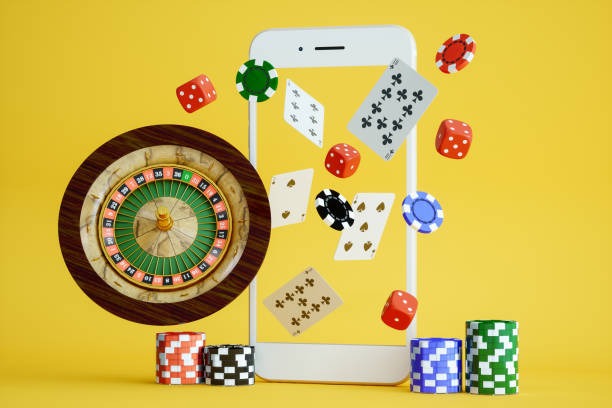
A user opens the moonbet app on their phone, logs in, and joins a live blackjack table within seconds. The video stream loads smoothly even on a slower connection. They place a bet, interact with the dealer, and withdraw their winnings via OVO the next day. Mobile-first design makes this flow seamless.
- SHA256 Match
- DownloadAPK
- StartFirst Game
- Update
We at moonbet built our app to prioritize speed and reliability. Whether you are in Jakarta, Surabaya, Bandung, Medan, or Semarang, our app delivers live-dealer tables, sportsbook markets (Liga 1, Piala AFF, Champions League), slot games, and esports betting directly to your phone. The app works on Android and iOS, and we also offer a web version for desktop users.
This page covers how to download and install the moonbet app, what devices are supported, and how the app compares to our web platform. Read on to get started.
Download and Install moonbet
We offer three ways to access moonbet: Android APK download, iOS via browser, and web app on desktop. Choose the option that suits your device.
Installation Steps
- Download: Visit our website or app store link and download the moonbet app to your device.
- Install: Open the downloaded file and follow the on-screen prompts to install the app.
- Register: Launch the app, create your account with your email and phone number, and verify your identity.
- Start playing: Deposit via DANA, e-wallet, mobile banking, local payment, online payment, e-wallet, or bank transfer, then access live casino, sportsbook, slots, or esports markets.

App vs. Browser: Which Is Right for You
The moonbet app and web version offer the same games and features, but the app has advantages. The app caches data locally, so tables load faster on repeat visits. Push notifications alert you to live events, odds changes, and withdrawal confirmations. The app also uses less bandwidth than the browser version, making it ideal for users on slower connections or limited data plans.
The browser version works on any device with an internet connection and a modern web browser. No installation is required. If you prefer not to download an app, the browser version is a solid alternative. Both versions are secure and encrypted.
Device Compatibility and Requirements
The moonbet app runs on Android 7.0 and later, and iOS 12.0 and later. Most phones and tablets released in the last five years meet these requirements. If your device is older, you can still access moonbet via the web browser.
The app requires approximately 50–100 MB of free storage space. We recommend at least 2 GB of RAM for smooth performance. A stable internet connection (WiFi or mobile data) is required to stream live tables and place bets.

Troubleshooting Installation Issues
If you encounter errors during installation, check the following. On Android, enable "Unknown Sources" in your device settings to allow installation from sources outside the Google Play Store. On iOS, you may need to trust the certificate in Settings > General > Profiles & Device Management. If the app crashes after installation, clear your device cache and reinstall. If you still have problems, contact our support team via live chat or email.
Data, Permissions, and Account Security
The moonbet app requests permission to access your device's camera (for identity verification during account setup), microphone (for live-dealer chat), and location (to verify you are in a supported jurisdiction). We do not share these permissions with third parties. All data transmitted between your device and our servers is encrypted using TLS 1.2 or later. Your login credentials are stored securely on your device and never transmitted in plain text.
We recommend enabling two-factor authentication (2FA) on your moonbet account for added security. You can set this up in your account settings after logging in. If you suspect your account has been compromised, change your password immediately and contact our support team.
Key takeaways
- Download the moonbet app for Android, or access via Safari on iOS, or use the web version
- Installation takes under subject to verification; registration requires email, phone, and identity verification
- The app offers faster loading, push notifications, and lower bandwidth usage than the browser
- Android 7+ and iOS 12+ are supported; check your device settings if installation fails
- All data is encrypted; enable 2FA for extra account security
Getting the Most from the moonbet App
After you install the app and create your account, take a moment to explore the settings. You can customize your language, notification preferences, and display theme. We recommend enabling push notifications so you do not miss live events or withdrawal confirmations. You can also set your preferred payment method (DANA, e-wallet, mobile banking, local payment, online payment, e-wallet, mobile banking, local payment, online payment, or e-wallet) in your account settings for faster deposits and withdrawals.
The app home screen shows live-dealer tables, upcoming sportsbook matches, and featured slot games. Tap any game to join. If you are new to live casino, start with a low-stake table to learn the rules. Our dealers are trained to help new players. If you have questions during a game, use the in-app chat to contact a dealer or support agent.
Why Choose the moonbet App
We built the moonbet app to be fast, reliable, and user-friendly. Live-dealer video streams are optimized for mobile networks, so you get smooth gameplay even on 4G. The app supports all our games: live blackjack, roulette, baccarat, Dragon Tiger, sportsbook (Liga 1, Piala Indonesia, Piala AFF, Champions League, Premier League, MotoGP, badminton), slots (Aviator, Sweet Bonanza, Gates of Olympus, Fortune Tiger, Mahjong Ways), and esports (Mobile Legends, Free Fire, PUBG Mobile). Account verification is quick — most users are verified within one business day. Withdrawals are processed the same day via your chosen payment method.
Our support team is available via live chat, email, and in-app messaging. We have staff across Jakarta, Surabaya, Bandung, Medan, and Semarang. Download the moonbet app today and start playing.
Fast loading
Secure encryption
Push notifications
Low bandwidth
We continuously improve the moonbet app based on user feedback. If you encounter any issues or have suggestions, contact our support team. Your experience matters to us.